Create an SMS campaign
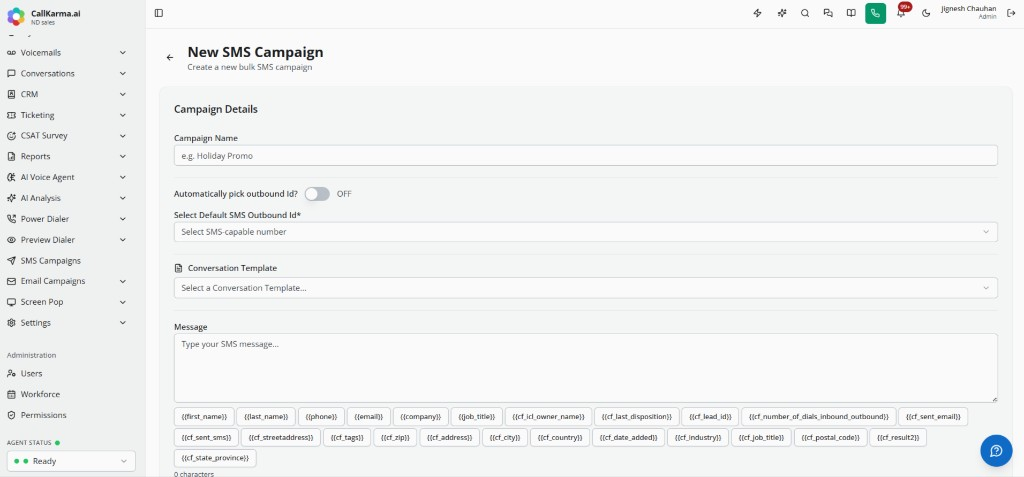
Create a bulk SMS campaign with a sender number, a personalised message with opt-out wording, contact lists and campaign options.
Open SMS Campaigns and click New Campaign.
Choose the sender number.
Write a personalised message with merge fields and required opt-out wording.
Attach contact lists, set campaign options, then save.